
Tandy 1000ex Zero
2021-09-16
When I was growing up the first computer I ever used on a regular basis was the Tandy 1000 EX. My parents bought it for my brother for his Bar Mitzvah. We played a lot of games on it, but that machine was what got me interested in computers and programming. I wrote my first program in BASIC on that machine.
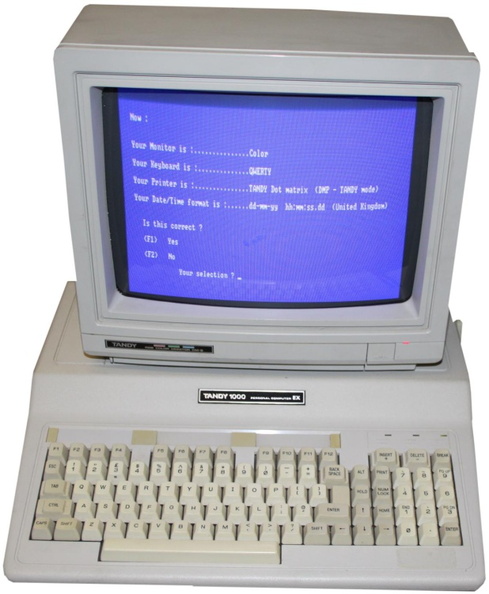
It was powered by an Intel 8088, running at 7.14mhz (with a "compatibility option" to slow it to 4.77mhz) and 640K of RAM. It came standard with a built in 360K 5.25 inch floppy drive, and ours also had an external 360k 5.25 inch floppy drive as well. It had the color Tandy Graphics monitor as well. We also had a black and white Tandy dot matrix printer and, over the years, MANY Tandy joysticks (they were fun but they weren't the most robust things. If I had them now I'd just fix them but back then I didn't know how). That machine was awesome, and the start of my nerd life.
To honor that machine I decided to create a tiny version of it that could actually run all of the programs I used to run on the original Tandy 1000 EX as a kid. What better way to do that then with the small and (very) cheap Raspberry Pi Zero. With the help of my friend Jorge, who graciously offered to 3D print the case for me (since I didn't have a 3D printer yet at the time), the Tandy Pi 1000 EX Zero was born!
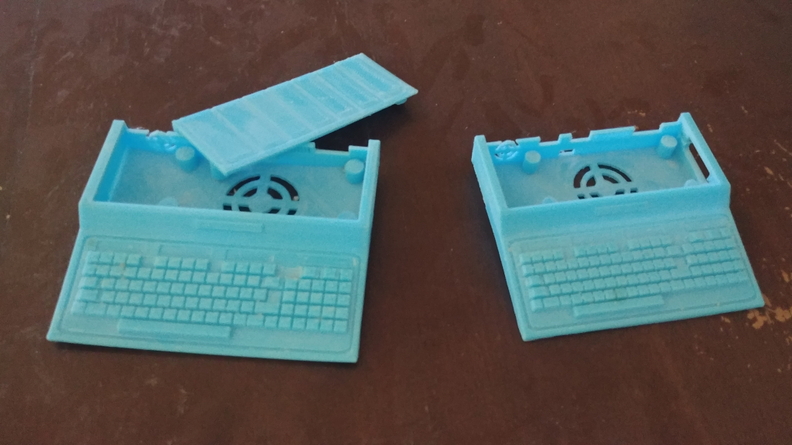
The first prototypes had some issues, but with some tweaking we got it right. I painted the final version beige, though it's not a perfect match for the original Tandy case. There are several very tiny, but accurate (as far as I could make them at that size) details, including the joystick ports and volume knob on the side, the CGA and Composite video ports on the back, and the airflow vents on both sides. These are purely decorative but they still look cool. The Raspberry Pi Zero W fit perfectly, with the micro SD card slot lining up perfectly with the case's slot for the 5.25 inch floppy drive. The power, usb, and mini-HDMI ports are accessible from the rear panel.
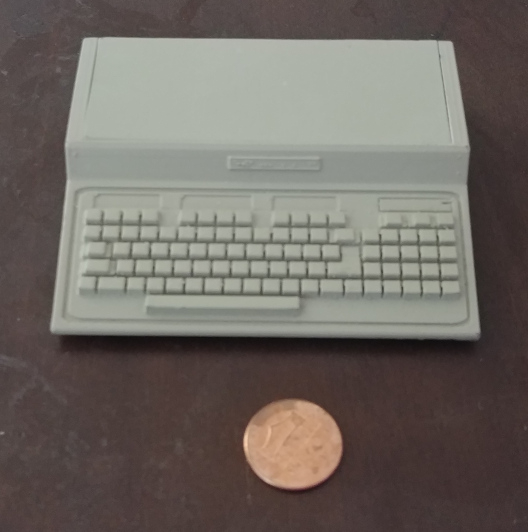
The Pi boots into RetroPie with DosBox installed, which boots to an MS-DOS prompt. From there it can run any DOS software that the Tandy could run, and a lot of software the Tandy couldn't! It can also run most of the other emulators that RetroPie supports, but the main goal was to get it running DOS, like the original Tandy 1000 EX.
It's nothing super exciting, but it was one of my first Raspberry Pi with 3D printing projects and it's pretty cool!